React test for hiring
Candidates build and fix real React components with a live preview, so you see how they structure UI, manage state and care for accessibility.
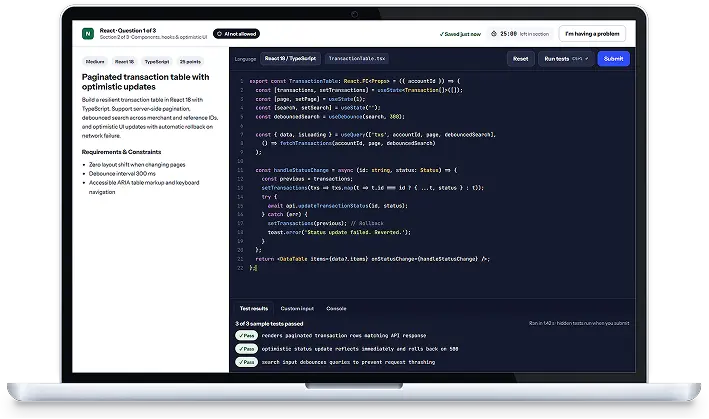
Skills covered in the React test
What candidates do
Sample tasks show the style of the test. Live questions rotate between variants to prevent leaks.
Build an accessible data table
Sorting, filtering and keyboard navigation for a table, with tests.
Fix re-render performance
A list re-renders on every keystroke. Find the cause and fix it.
Form with validation
Build a sign-up form with async validation and clear error messages.
Related skill tests
Java coding test
Test what Java developers actually do: build and fix Spring Boot services, reason about concurrency and write clean, tested code. Choose the level and get a scored report in minutes.
Learn morePython coding test
From clean, idiomatic Python to production APIs and data handling, assess Python developers on tasks that mirror the job.
Learn moreJavaScript test
Assess modern JavaScript and TypeScript skills: asynchronous code, data handling, browser and Node.js fundamentals, with tasks developers recognise from real work.
Learn moreTry the React test free
Start a 14-day free trial, send the test to a colleague and see the report for yourself.
Everything you need to know about React Tests
Need help choosing an assessment?
Talk to our team about your engineering hiring goals.
Can I test junior and senior React developers with the same test?
Yes. Choose entry, mid, senior or staff level when you create the React assessment and SetBenchmark picks tasks of matching difficulty. You can also mix levels to see where a candidate tops out.