How to prevent cheating in online coding tests
Cheating tools have improved, but so have defences. The most effective approach combines better test design, layered signals and a human review process that protects honest candidates.
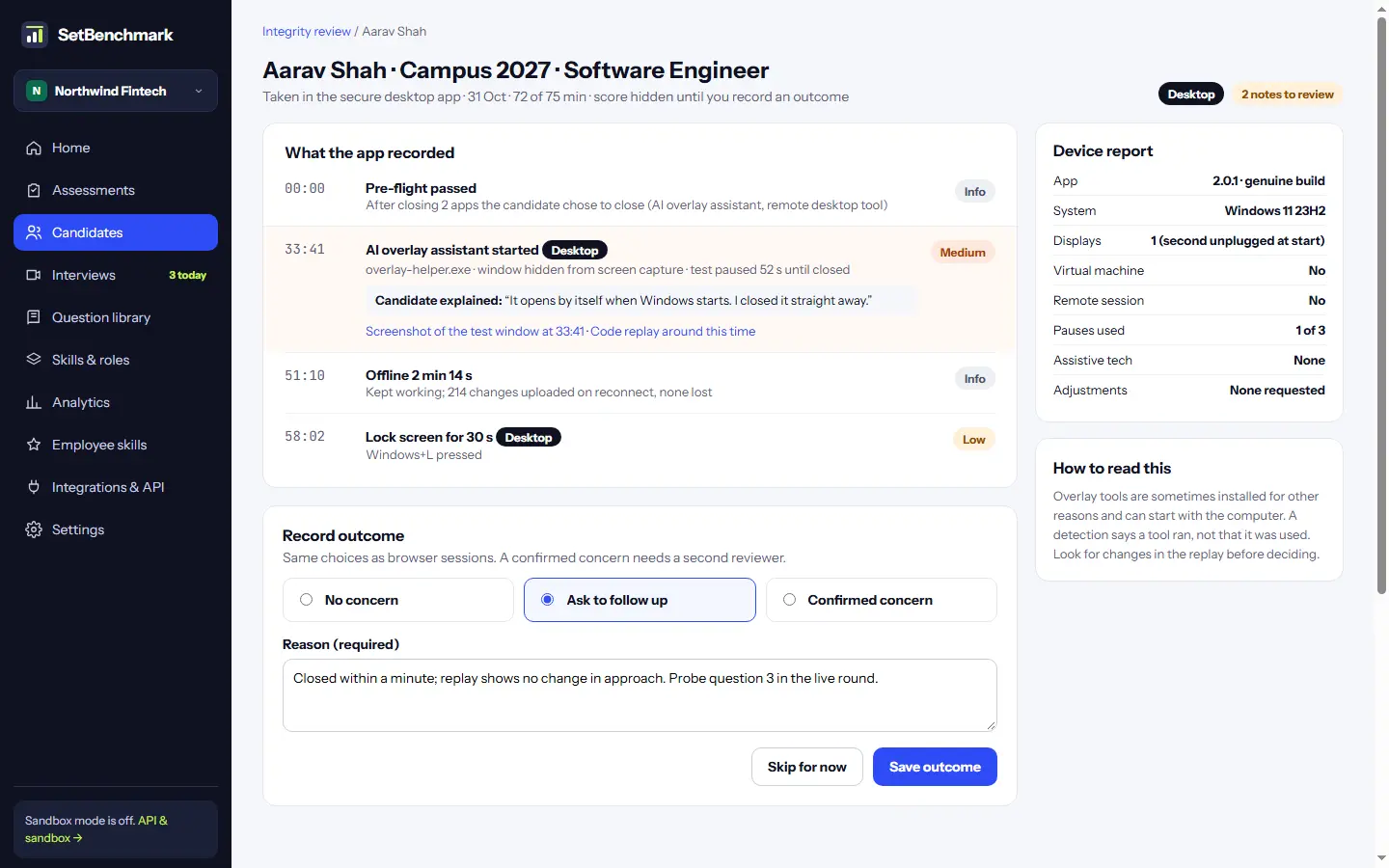
Remote coding tests made hiring faster and fairer for candidates who can't travel. They also made cheating easier: shared answers, a friend on a call, an AI tool in another window or an overlay that hides from screen sharing.
No single tool stops all of it. What works is a layered approach, and a review process that doesn't punish honest candidates for normal behaviour. Here is the step-by-step framework to secure your assessments without alienating good developers.
Start with test design
The cheapest defence is a test that's hard to cheat on in the first place.
- Use realistic tasks in a small repository rather than famous puzzle questions with answers online.
- Rotate variants of each question, so shared answers don't match.
- Monitor for leaked questions across public repositories and forum channels, retiring them quickly.
- Where it fits the role, allow AI in some tasks and score the process. Cheating with AI is pointless when using AI well is the skill being tested.
Verify identity at the start
A quick photo ID and face match deters proxy test-takers and impostor candidates before the timer begins.
Keep it proportionate: store the photos briefly with encryption, don't keep biometric templates, and explain clearly to the candidate why you're asking.
Collect signals, not verdicts
Gather objective evidence across multiple telemetry streams rather than relying on a single black-box verdict:
- Code similarity:Structural AST comparison against other submissions and known solutions, based on logic rather than variable names.
- Paste analysis:Large pastes and sudden bursts of complete code, especially just after switching away from the editor.
- Focus events:Tab switches and time away, which are common and usually harmless on their own unless paired with other signals.
- Environment checks:Camera snapshots and screen recording, where your company policy and local law allow them.
- Audio/Visual integrity:Detecting a second voice or an unverified face during the test session.
Put a person in the loop
Every signal has innocent explanations. A tab switch may be a candidate checking documentation you allowed. Similar code may be a standard library pattern. Automatic rejection based on signals will reject good people and expose your organization to complaints.
Instead, send flagged sessions to a trained reviewer with the evidence side by side. Hide the candidate score until the reviewer records an outcome, so the result doesn't bias the decision. Record a reason for every outcome.
Use a locked-down environment for high-stakes tests
For certifications or final-round exams, a secure desktop app can block screen capture, second monitors, other applications and keyboard shortcuts during the test.
It adds friction for the candidate, so reserve it strictly for cases where the high stakes justify the restriction.
Follow up in the interview
The simplest check is often a conversation. Ask the candidate to walk through their assessment code and extend it live in a shared session.
People who wrote their own solution can effortlessly explain architectural choices, trade-offs, and debug an edge case in minutes.
Be transparent with candidates
Tell candidates what is recorded, why, and how long it's kept, before the test starts. Offer an alternative for anyone who can't use a camera.
Transparency deters cheating and builds trust with the honest majority. In many countries, including India under the Digital Personal Data Protection (DPDP) Act and the EU under GDPR, clear notice and consent are a strict legal requirement.